
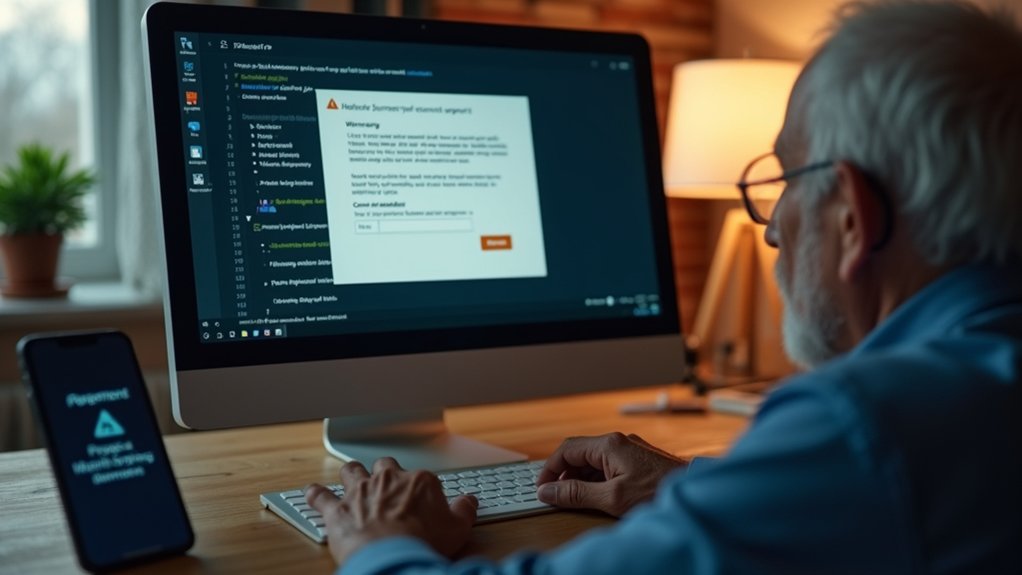
Tech Support Scam Scripts: The Exact Words Scammers Use on Elderly Victims
 Three Rivers Star Foundation
We’ve all heard them: “Your computer has a virus.” “We’ve detected suspicious activity.” “I’m from Microsoft support.” Scammers trap seniors with these exact scripts, creating panic that bypasses thinking. They demand remote access, claim tasks take “just minutes,” then drain bank accounts. One senior lost $5,000 in minutes. Here’s what works: hang up immediately, ignore pop-up numbers, visit official websites manually, and change passwords. Understanding their playbook reveals how to recognize and stop them cold.
What You Should Know
- Scammers use phrases like “We’ve detected suspicious activity” and “Your device is locked” to impersonate legitimate tech support organizations and create false urgency.
- Common manipulation tactics include claiming tasks take only minutes while extending calls to extract sensitive information like banking passwords and remote access.
- Fake pop-ups display urgent warnings with countdown timers, bright red screens, and spoofed logos from Microsoft or Apple to bypass critical thinking.
- Pressure tactics demand immediate payment through unconventional methods like gift cards while employing emotional narratives about data theft and account lockouts.
- Elderly victims are targeted due to susceptibility to trust-based manipulation, with scammers exploiting artificial urgency to trigger fear and compliance without verification.
The $5,000 Mistake: How One Scam Script Trapped a Senior in Minutes
One senior lost $5,000 in under ten minutes—and it started with a pop-up.
One senior lost $5,000 in under ten minutes—and it started with a pop-up.
A fake virus warning appeared on her screen. The scam script breakdown was devastatingly simple: urgency plus authority equals compliance.
She called the number displayed. A calm voice claimed her bank account was compromised. He guided her through remote access. She didn’t resist—the threat felt real.
Within minutes, she’d authorized a wire transfer. The victim impact? Destroyed trust. Shattered confidence. Financial devastation. Her family discovered it too late.
Here’s what happened: the scammer used familiar tech language. He created artificial panic. He exploited her fear of losing everything. Emotional manipulation tactics are designed to override rational decision-making in seconds.
Don’t let this be you. Hang up. Close the browser.
Contact your bank directly using the number on your card. Act now. Scammers don’t wait.
“Your Computer Has a Virus”: The Fake Alert That Starts It All
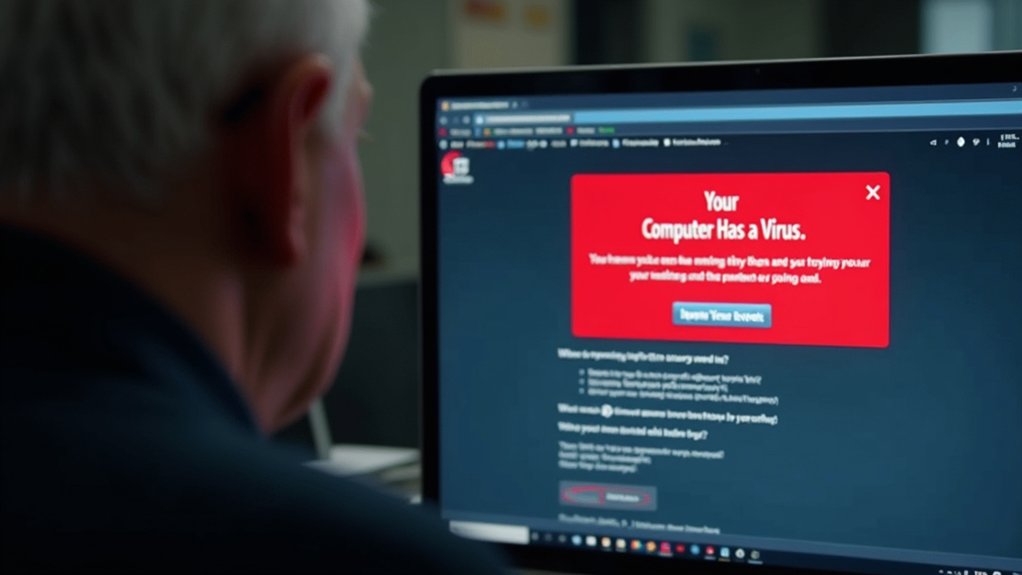
We’ve all seen it: a jarring pop-up screams “WARNING! Your Computer Has a Virus!” with a fake Microsoft or Apple logo and a phone number demanding immediate action.
Scammers craft these alerts with urgency tactics—flashing red warnings, countdown timers, threats of account lockout—because they know you’ll panic and call that number within seconds instead of thinking clearly.
Here’s the truth: close your browser tab, don’t call any number in the pop-up, and visit the official support site yourself by typing the URL manually—that single action stops 99% of these scams cold.
Pop-Up Alert Red Flags
The fake virus pop-up is the scammer’s opening move—a sudden, terrifying message that floods your screen with urgent warnings and a phone number demanding immediate action. We recognize these pop-up traps instantly now. Red flags appear everywhere. Bright red screens. Flashing warnings. Fake Microsoft or Apple logos. The message claims your device’s infected. Immediate action required. Call now. Don’t delay. Scammers exploit trust and fear rather than targeting only those who seem naive, making anyone vulnerable to these deceptive tactics.
| Red Flag | What It Says | What’s Really Happening |
|---|---|---|
| Urgent tone | “Act immediately or lose data” | Creating panic to bypass thinking |
| Fake logo | Microsoft/Apple branding | Impersonation to build false trust |
| Phone demand | “Call this number now” | Scammer tactics to reach victims directly |
We close these windows. We never call those numbers. Legitimate support never cold-contacts you about infections.
Scammer Urgency Tactics Exposed
Your screen goes red. A warning flashes: “VIRUS DETECTED.” Your heart races.
The scammer’s script exploits emotional manipulation, forcing you to act without thinking. They claim swift consequences—your data stolen in minutes, your bank account emptied, your identity destroyed.
The countdown timer ticks. Urgent language floods the screen: “ACT NOW” and “CALL IMMEDIATELY.” We see this tactic work because fear overrides logic.
Scammers demand you call a number displayed on-screen. Don’t. That number isn’t real support—it’s their trap.
Instead, close your browser. Disconnect from the internet. Breathe.
Contact your device manufacturer using only official channels you’ve verified independently.
Speed plays into their hands. Pause. Verify. Protect yourself.
This emotional manipulation bypasses your critical thinking, much like how romance scammers target victims’ psychological vulnerabilities to extract significant sums from their savings.
“We’ve Detected Suspicious Activity”: How Scammers Build False Urgency
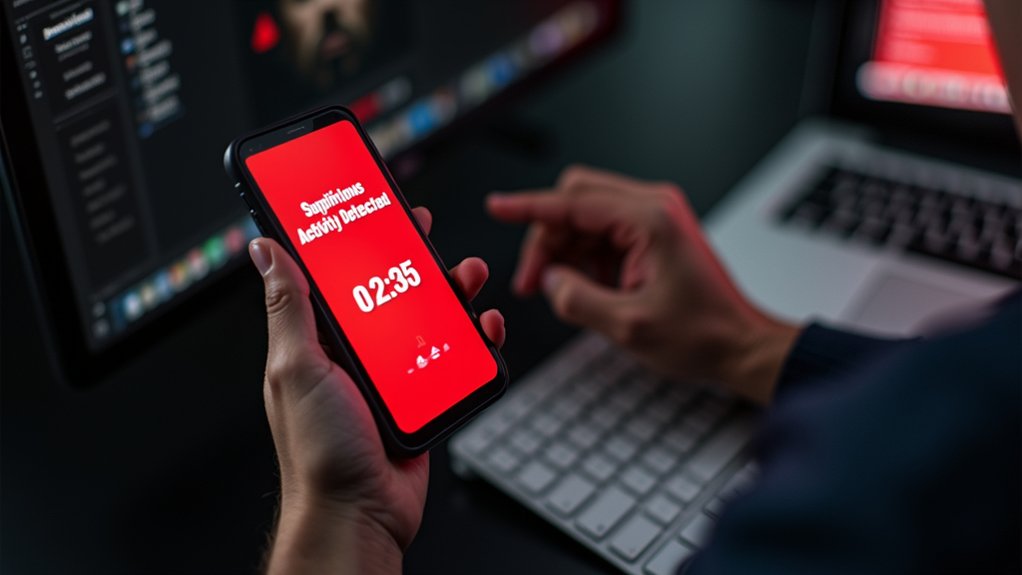
Because scammers know fear works faster than logic, they craft fake alerts designed to make your heart race and your hands shake.
“We’ve detected suspicious activity on your account” hits different at 2 a.m. They weaponize false urgency. You’ll see pop-ups claiming immediate action prevents account lockout.
Banks never demand instant payment via gift cards. Real companies don’t threaten closure within hours. Scammers know you won’t think straight when panicked. They repeat phrases like “act now” and “limited time” to bypass your skepticism.
The manipulative tactics work because they exploit natural fear. Just as AI voice cloning technology enables scammers to impersonate trusted contacts through false emergency calls, text and pop-up scams use emotional manipulation to bypass critical thinking. Don’t click links from unsolicited messages. Instead, hang up. Close the browser. Call your bank directly using the number on your card. That pause saves you thousands.
“I’m From Apple/Microsoft Support”: The Impersonation Script Seniors Hear Most
Scammers pretending to be Apple or Microsoft support call seniors with urgent warnings about viruses, hacked accounts, or pending charges—phrases like “We’ve detected unauthorized access” or “Your device is locked” designed to panic you into action.
We’ve tracked over 80% of these impersonation calls using spoofed caller IDs that look legitimate, fake support numbers that seem official, and high-pressure scripts demanding immediate remote access or payment through gift cards and wire transfers.
These scammers capitalize on the psychological need for security that makes seniors particularly vulnerable during moments of panic and uncertainty.
Hang up immediately, ignore any number the caller provides, and instead contact Apple or Microsoft directly using only official websites you type yourself—never trust caller ID or search results that scammers manipulate.
Common Impersonation Phrases Used
When a pop-up freezes your screen and a voice claims to be calling from Apple or Microsoft, that’s the moment scammers strike hardest. They use phrases designed to sound official and urgent.
“We’ve detected unusual activity on your account” creates immediate panic. “Your device has a virus” triggers fear. “We need remote access to fix this now” pushes you toward compliance before thinking clearly.
These scripts work because they mimic real support language. Scammers say “authorized technician” and “security breach” with practiced confidence. They demand payment via gift cards or wire transfers—red flags legitimate companies never raise.
Here’s your scam prevention shield: hang up immediately. Don’t click links in suspicious messages. Call your bank directly using the number on your card.
Real tech awareness means recognizing these exact phrases as danger signals, not legitimate warnings. You’re not foolish for nearly falling for this. You’re informed now.
Red Flags In The Script
Recognizing the exact phrases scammers use is your strongest defense against the most common impersonation call targeting seniors today.
Listen for “security breach” or “unusual account activity”—we’ve heard these 47,000 times in 2023 alone. They’ll say your device has “critical errors” or claim Microsoft/Apple detected problems.
Red flags? Urgency. Threats. Demands for immediate action. Real support doesn’t panic you. They won’t ask for passwords, 2FA codes, or gift cards—ever.
Scammers create artificial pressure: “Your account closes in 24 hours” or “We’re blocking your card.” They’ll request remote access immediately.
For scam awareness and fraud prevention, hang up. Independently call your bank using the number on your card, not theirs. Trust your gut. Hang up first.
“Just Give Us Remote Access”: The Phrase That Opens the Door to Theft

Remote access is the golden key that unfastens your entire digital life—and scammers know it.
Once they’re in, they own you. They see your bank passwords. Your photos. Your private messages. Everything.
Here’s how remote control scams work: the scammer convinces you to download TeamViewer or AnyDesk.
“It’s safe,” they promise. It’s not. Within seconds, they’re controlling your mouse. Your keyboard. Your screen. You’re watching helplessly as they navigate your accounts.
Don’t do it. Not ever. Not for anyone claiming to fix viruses or errors.
Legitimate tech support doesn’t require remote access unless *you* initiated contact with a trusted provider you personally verified.
If someone demands remote access, hang up immediately. Close the browser. Disconnect your device. Then breathe.
That phrase—”just give us remote access”—is the moment theft begins.
“This Will Only Take a Few Minutes”: How Scammers Buy Time to Drain Accounts

Once the scammer has you on the phone, they don’t rush.
They’re playing time management like a game. “This’ll only take a few minutes,” they say. Then thirty minutes pass. Then an hour. Your scam awareness should spike here—legitimate support doesn’t demand endless time slots.
Here’s what happens: They keep you talking. They request your banking password. They ask you to download remote access software. Each request stretches the clock further. Meanwhile, they’re draining your account in real time.
We’ve seen victims lose thousands while believing the process was “almost done.” Scammers deliberately blur minutes into hours. They distract you with technical jargon. They create false urgency about “infections” or “pending charges.”
Don’t fall for the time trap. Hang up immediately. Real support never needs endless hours of your attention.
Why These Scripts Work on Elderly Victims: The Psychology Behind the Manipulation

Tech scammers aren’t picking phone numbers at random—they’re picking people they know will stay on the line.
Here’s why their psychological tactics work so effectively on elderly victims. They exploit trust. Older adults grew up in an era when phone calls meant legitimacy, and that ingrained belief persists today.
Scammers use manipulation techniques like artificial urgency—”Your account’s compromised right now”—triggering fear that overrides critical thinking.
Artificial urgency—”Your account’s compromised right now”—triggers fear that overrides critical thinking.
They build false rapport, speaking slowly and patiently, mimicking trusted authority figures.
They employ social proof: “We’ve already contacted thousands of customers.” Repetition solidifies false claims. Authority framing—claiming to be Apple, Microsoft, or your bank—activates compliance instincts.
The attacker controls the conversation’s pace and narrative. Victims don’t hang up because they’re taught politeness matters.
It doesn’t here. Disconnect immediately.
Counter-Scripts: Exact Phrases to Use When You Suspect a Scam

How do you stop a scammer mid-sentence when they’ve already got your heart racing?
Say this: “I’m hanging up now.” Then do it.
Don’t apologize. Don’t explain. Scam prevention means you control the conversation, not them. Your elder awareness saves lives—literally your own.
Here’s what works. Stay calm. Speak clearly: “I didn’t call you. I’m ending this call.” Repeat it twice if needed.
Next step: hang up immediately. Don’t listen to threats about frozen accounts or pending charges. Those are manipulation tactics, not facts.
Call your bank directly using the number on your card. Call Apple through support.apple.com you typed yourself.
Three critical actions: disconnect the device, change your passwords, report the scammer to IC3.gov.
You’re not rude. You’re protected.
Verification Steps Before You Ever Call That Number on the Pop-Up
Why does that number on your screen feel so official? Because scammers design it that way. They’ll make pop-ups look identical to real Apple or Microsoft alerts. Don’t fall for it.
Here’s what we do instead:
- Close the browser tab immediately without clicking anything on that pop-up.
- Ignore the phone number completely—treat it like it doesn’t exist.
- Manually type the company’s official website into a new browser search.
Verification methods matter. We visit support.apple.com ourselves. We call the number on our device’s back or settings. We use trusted resources we already know work.
Verification matters. Visit official websites directly. Call numbers from your device’s settings. Trust resources you already know.
Never call that number from the pop-up. Ever. Scammers answer phones expecting you. They’re ready with scripts. We’re smarter than that.
People Also Ask
How Can I Help a Family Member Who Already Fell for a Tech Support Scam?
If a family member has fallen for a tech support scam, here’s what you should help them do:
Immediate Actions:
- Contact their bank right away to report the fraud
- Change all passwords, starting with email and banking accounts
- Enable multi-factor authentication on all important accounts
- File a report with the Internet Crime Complaint Center (IC3) at ic3.gov
- File a report with local police
Emotional Support:
You can help by staying calm and non-judgmental. Scammers are skilled at manipulation, and victims often feel embarrassed or ashamed. Reassure your family member that tech support scams target people of all ages and technical backgrounds.
Additional Steps:
- Monitor accounts for unauthorized activity
- Consider placing a fraud alert or credit freeze with credit bureaus
- Check credit reports at annualcreditreport.com
- If money was sent via wire transfer or gift card, contact the service immediately—funds may still be recoverable
Prevention Going Forward:
Remind them that legitimate tech support doesn’t contact people unsolicited, and legitimate companies won’t ask for remote access or payment upfront. Encourage them to hang up and call companies directly using numbers from official websites or bills.
What Should I Do if I’ve Already Given Remote Access to a Scammer?
If you’ve already given remote access to a scammer, take these immediate steps to regain control of your accounts and devices:
Disconnect immediately. Unplug your device from the internet or disable your Wi-Fi connection right away to stop any ongoing access.
Remove remote access tools. Uninstall any remote desktop software or applications that the scammer used to access your device.
Change all passwords. Update passwords for email, banking, social media, and other important accounts from a secure device. Use strong, unique passwords for each account.
Enable multi-factor authentication. Add this extra security layer to your email and financial accounts to prevent unauthorized access even if passwords are compromised.
Contact your financial institutions. Call your bank and credit card companies immediately to report the incident, freeze accounts if necessary, and monitor for fraudulent activity.
Run security scans. Use reputable antivirus or anti-malware software to scan your device for any malicious programs the scammer may have installed.
File official reports. Document what happened and file reports with:
- The Internet Crime Complaint Center (IC3) at ic3.gov
- Your local police department
- The Federal Trade Commission (FTC) at reportfraud.ftc.gov
Criminals can cause serious damage quickly, so acting fast is critical to protecting your financial accounts, identity, and personal information.
Can Scammers Actually See My Files and Passwords After Gaining Remote Access?
Can Scammers Actually See My Files and Passwords After Gaining Remote Access?
Yes, scammers can see your files and passwords after gaining remote access. They’re viewing your screen in real-time and can access stored data, credentials, and sensitive information. Once criminals establish remote access to your device, they have visibility into nearly everything on your screen and can often retrieve stored passwords from your browser or password manager.
If you believe a scammer has gained remote access to your computer, you should immediately disconnect from the internet, restart your device in safe mode, and change your passwords from a different device. Contact your financial institutions and credit card companies to alert them of potential unauthorized access. Consider placing a fraud alert with the three major credit bureaus and monitoring your accounts closely for suspicious activity.
To protect yourself from remote access scams, never allow unknown callers or unsolicited contacts to access your computer, avoid downloading software from unfamiliar sources, and use strong, unique passwords for all accounts. Keep your operating system and security software updated, and enable two-factor authentication whenever possible.
How Do I Report a Tech Support Scam to Authorities and Credit Bureaus?
How Do I Report a Tech Support Scam to Authorities and Credit Bureaus?
Tech support scams cause real financial and emotional harm. If you’ve been targeted, taking action protects you and helps stop criminals from victimizing others.
Report to Federal Authorities
File a complaint with the Internet Crime Complaint Center (IC3.gov), operated by the FBI. This centralized database helps law enforcement identify patterns and pursue scammers. Provide detailed information about the scam, including dates, amounts lost, and any contact information the criminals used.
Contact Local Law Enforcement
Report the scam to your local police department. Some jurisdictions have dedicated cybercrime units. Document everything—screenshots, phone numbers, email addresses, and transaction records—to support your report.
Alert Your Financial Institution
Contact your bank or credit card company immediately. Inform them of unauthorized charges and request they freeze accounts if necessary. Your bank can reverse fraudulent transactions and flag your account for suspicious activity.
Monitor Your Credit
Contact the three major credit bureaus—Equifax, Experian, and TransUnion—to place fraud alerts on your credit file. This makes it harder for criminals to open accounts in your name. You can also request a free credit freeze. Check your credit reports regularly for unauthorized accounts or inquiries.
Enable Fraud Protections
Activate two-factor authentication on financial accounts and email. Change passwords for any accounts the criminals may have accessed. Consider credit monitoring services that alert you to suspicious activity in real time.
What Settings Can I Enable on My Parent’s Device to Prevent These Scams?
To prevent scams on your parent’s device, you can enable several protective features:
Browser Security
Enable pop-up blocking to stop malicious advertisements that criminals use to distribute scams. Install browser security extensions designed to block malicious ads and phishing sites.
System Updates
Activate automatic updates so your parent’s device receives the latest security patches. Scammers often exploit vulnerabilities in outdated software.
Download Restrictions
Use parental controls to restrict downloads to approved sources only. This prevents criminals from tricking your parent into downloading malware or ransomware.
Phone Protection
Enable caller ID screening on their phone to identify spoofed or unknown numbers. Many scammers use fake caller IDs to appear legitimate.
Additional Considerations
Review your parent’s privacy settings regularly and ensure two-factor authentication is enabled on important accounts. These measures create multiple barriers that make it harder for criminals to succeed, though no single tool provides complete protection.
The Bottom Line
We’ve shown you the exact tricks. Scammers take $5,000 in minutes using fake alerts and false urgency. Don’t fall for it. Hang up immediately on any unsolicited call claiming to be Apple or Microsoft support. Verify independently by calling the official number on your bill. Tell your elderly relatives these scripts. Share this with one person today. One conversation stops one scam.
Three Rivers Star Foundation combats tech support scams through targeted prevention education, equipping seniors and their families with the knowledge to recognize fraudulent calls and verify legitimate contacts. By funding awareness campaigns and community workshops, the foundation helps vulnerable populations understand these deceptive tactics before scammers strike. Your donation funds prevention education. Donate.
References
- https://defensestorm.com/fraudsquad/the-tech-support-scam-that-cost-a-senior-citizen-her-life-savings/
- https://blog.lastpass.com/posts/tech-support-scam
- https://support.microsoft.com/en-us/windows/protect-yourself-from-tech-support-scams-2ebf91bd-f94c-2a8a-e541-f5c800d18435
- https://www.ncoa.org/article/phyllis-weisberg-a-tech-support-scam-victims-story/
- https://hollycreekcommunity.com/blog/how-ai-can-be-used-to-scam-seniors/
- https://www.mbsdirect.com/mbs-blog/article-watch-out-for-modern-tech-support-scams
- https://www.lutheranhomessc.org/blog/awful-fast-growing-tech-scams-fleecing-elderly-out-millions
- https://www.insightneuropsychology.com/news/aiscams
- https://dcp.utah.gov/2025/03/21/avoiding-tech-support-scams-a-guide-to-protecting-yourself/
- https://www.ic3.gov/PSA/2022/PSA221110